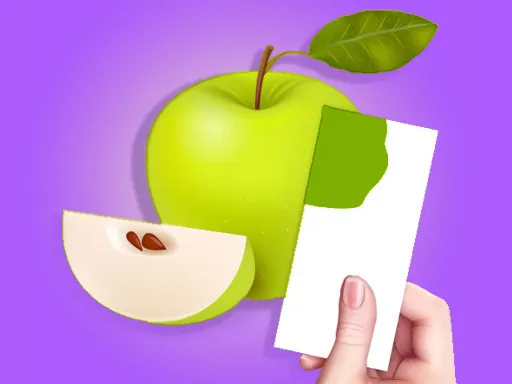
Color Match
Color Match is a creative puzzle about looking closely, blending paint, and recreating a target shade. Each round gives you a sample object, a palette, and a clear goal. The rules are easy, but the result can change fast when you add more red, blue, yellow, white, or dark paint. That simple idea gives the game a calm rhythm. If you want a browser title that feels relaxing and artistic, this is an easy recommendation on MelonPlayground.run.
What Is Color Match?
Color Match is a color mixing game where you study a sample object, blend paint on a palette, and apply the result to a 3D model. Public descriptions of this style of play focus on comparing shades, painting objects, and moving through items such as fruit, home goods, and animals. Instead of solving a fast action challenge, the game asks you to slow down and trust your eyes.
Why the Idea Feels Fresh
It stands out because it turns basic art logic into a clear goal. You observe the target, decide what color is missing, and adjust the mixture until it feels right. That creates a satisfying balance between puzzle thinking and visual creativity. Even with simple rules, each object can feel a little different.
Why Matching Colors Stays Satisfying
Many casual games rely on speed, but this one gets its appeal from precision. A small correction can push your paint from too warm to almost perfect. You notice a problem, test a better mixture, and see the result right away. Because the feedback is clear, players often want to try one more object and improve their eye for detail.
Play Color Match in Your Browser on MelonPlayground.run
Playing Color Match on MelonPlayground.run is straightforward. Open the page, wait for the game to load, and start mixing colors in your browser. There is no long setup, so it fits short study breaks, quiet time after work, or any moment when you want something more relaxing than noisy.
Why Browser Play Fits the Game
The game works well in a browser because the main actions are direct and readable. You do not need a large control scheme or a long tutorial. You look at the target object, move paint on the palette, and compare your result. On desktop, it feels natural with a mouse or trackpad. On phones and tablets, touch controls feel just as clear.
A Good Choice for Short Creative Breaks
It is also easy to revisit. One object can take only a few minutes, which makes the game useful when you want a small mental reset. At the same time, there is enough variation to support a longer session if you keep chasing cleaner matches. Different objects and changing shades give the game steady replay value. That is why Color Match feels at home on MelonPlayground.run.
How to Control Color Match
The controls are simple, but careful movement matters. Your job is to mix the paint, apply the shade, and compare it with the object you are trying to copy.
Basic Controls
In Color Match, use your mouse, trackpad, or finger to select and blend paint on the palette. Drag or tap to add more of one color, then spread the mixture until it looks close to the target. After that, apply the paint to the object and check how well your attempt compares. If the game offers another pass, refine the color instead of rushing ahead.
Tips for More Accurate Results
A few habits make Color Match easier. First, compare the overall tone before chasing tiny details. Ask whether your paint is too dark, too bright, too warm, or too cool. Second, change the mixture in small steps. Large changes often ruin a close result. Third, remember that white can soften a color, while darker paint can quickly push the result too far. Here, patience usually beats speed.
Where Color Match Comes From
Public sources connect Color Match to the mobile hit published by Supersonic Studios, while the App Store listing for Coloring Match identifies Garawell Games in the copyright line. Supersonic also published a case study in March 2022 describing the release as a strong success that reached the top of the iOS charts in the United States. That history helps explain why the browser version feels polished.
From Mobile Success to Browser Play
The browser version keeps the same core idea that made this concept stand out on mobile. You still compare shades, blend paint, and try to reproduce the right look on a 3D object. That loop does not depend on complicated hardware, so it carries over to browser play very well.
Why the Background Matters
It helps to know what kind of experience the game is offering. This is not a loud arcade title or a deep simulator with many systems. It is built around observation, steady correction, and visual reward. If you enjoy games that feel clean, creative, and easy to understand, Color Match makes a lot of sense.
Common Questions About Color Match
Is Color Match hard to learn?
No. Color Match is easy to understand because the main goal stays the same. Study the object, mix the paint, and try to copy the color as closely as possible.
Can I play Color Match in a browser without downloading?
Yes. You can play Color Match directly on MelonPlayground.run without installing anything.
What are the controls in Color Match?
On desktop, use a mouse or trackpad to blend and apply paint. On mobile devices, use touch controls to do the same actions.
What makes a good Color Match result?
A strong result usually comes from balancing brightness, saturation, and warmth instead of focusing on one part of the shade.
Why does my color still look wrong when it seems close on the palette?
That happens because some colors change once they cover the full object. Checking the painted model is just as important as checking the palette.
Is Color Match better for short sessions or long sessions?
Both can work. Color Match is easy to open for a short creative break, but it also supports longer runs if you enjoy improving your accuracy.
Color Match remains appealing because it turns a simple idea into a steady test of focus and color sense. The controls are easy, the goal is clear, and the results feel rewarding when you get close to the perfect shade. If you want a browser game that is calm, creative, and satisfying without being complicated, play Color Match on MelonPlayground.run and see how sharp your eye really is.